Free · No sign-up · Albanian, English, Italian, German, Spanish
Your CV, ready to apply.
Fill in your details, choose a template and download your CV for free.
- Your data stays in your browser
- A4 PDF with selectable text
- 15 templates with different layouts
- Cover letter in the same style
100% free
No subscription, no hidden fees, no watermark on the PDF.
No sign-up
You do not need an account or an email address to start.
Full privacy
Your CV and photo are never sent to any server.
15 templates
Minimal, modern, academic, creative and more.
Three steps
How it works
No design skills needed. Fill in the fields, pick a template and your CV is ready to send.
-
Fill in your details
Personal details, experience, education and skills in clear steps. Add a photo and crop it right in your browser.
-
Choose a template
15 templates with different layouts. Change the template and the accent colour at any time without losing any data.
-
Download the PDF
A4 PDF with selectable text and clickable links. Save the project as a file to edit it later or on another device.
Templates
15 templates, 15 different layouts
From the most minimal to the most creative. Previews use fictional data; the accent colour can be changed for every template.
-
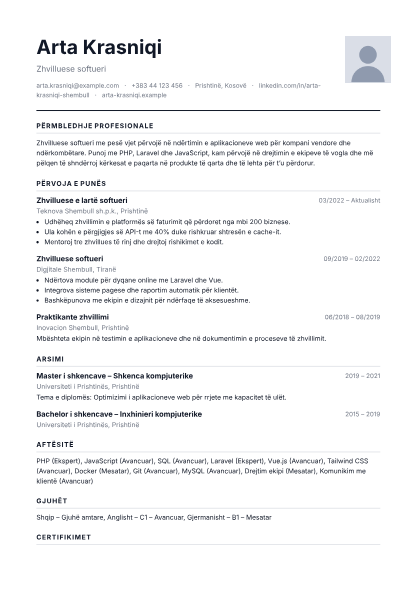 Minimal
Single column, black and white, large name and simple dividers between sections.
Minimal
Single column, black and white, large name and simple dividers between sections.
-
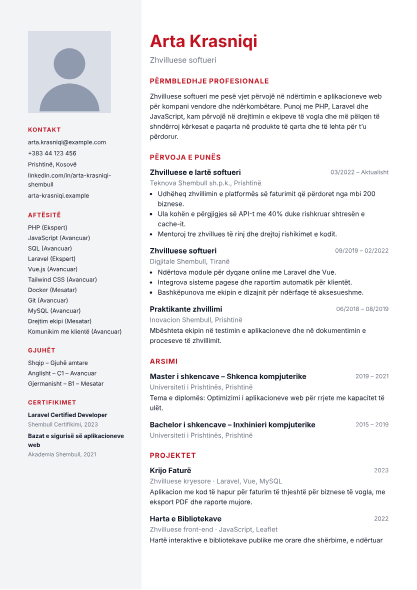 Modern
Left sidebar for contacts and skills, main content on the right.
Modern
Left sidebar for contacts and skills, main content on the right.
-
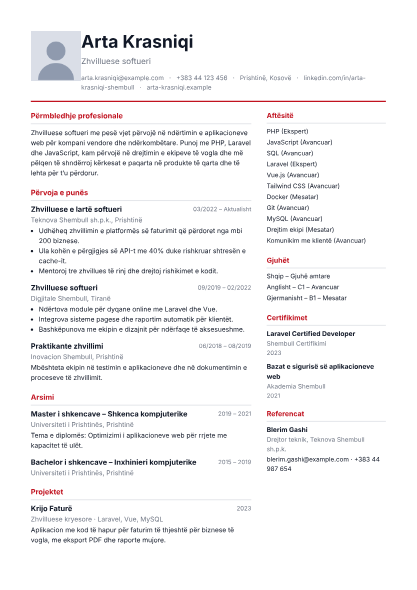 Professional
Full-width header followed by a 65/35 two-column layout for experience and details.
Professional
Full-width header followed by a 65/35 two-column layout for experience and details.
-
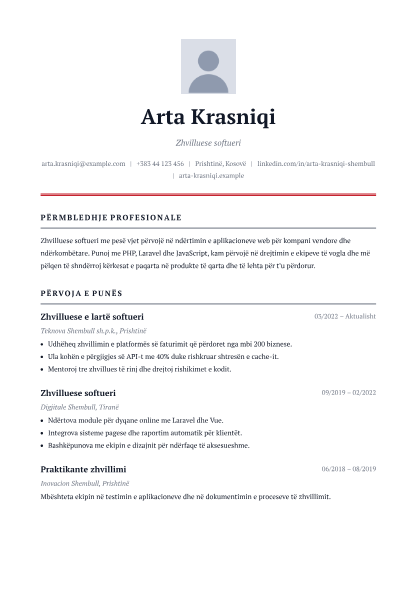 Executive
Single column with serif typography, generous spacing and emphasis on professional experience.
Executive
Single column with serif typography, generous spacing and emphasis on professional experience.
-
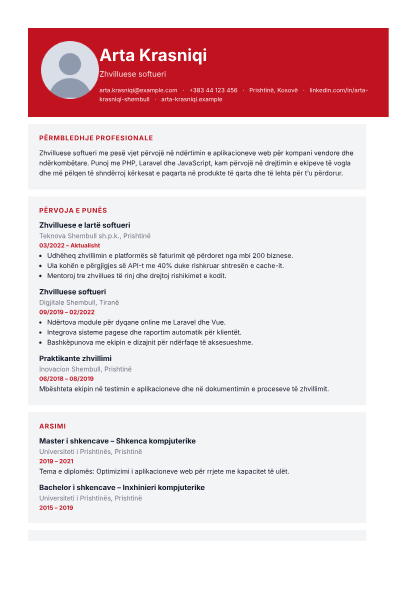 Creative
Circular photo in the header, distinct content blocks and skills in a compact grid.
Creative
Circular photo in the header, distinct content blocks and skills in a compact grid.
-
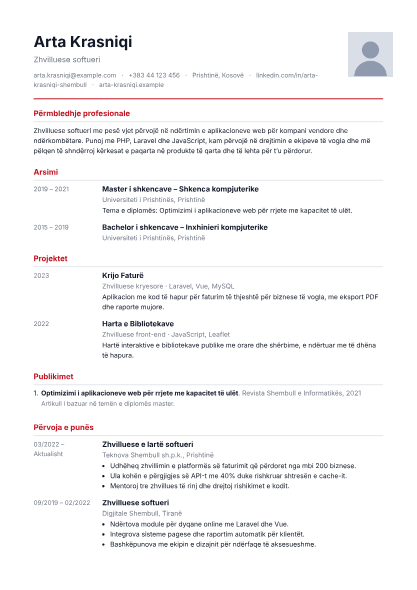 Academic
Education first, followed by research, publications and professional experience.
Academic
Education first, followed by research, publications and professional experience.
-
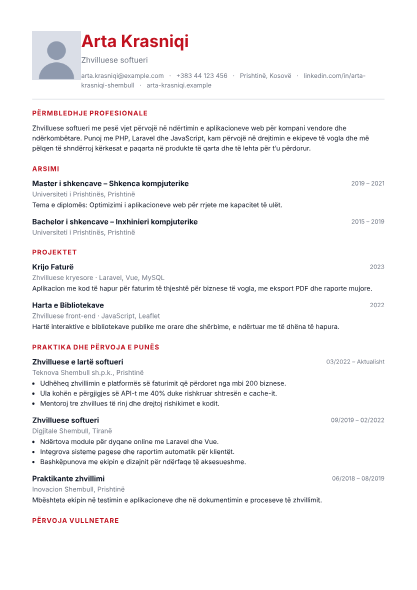 Student
Summary, education, projects, internships, volunteering and skills, in that order.
Student
Summary, education, projects, internships, volunteering and skills, in that order.
-
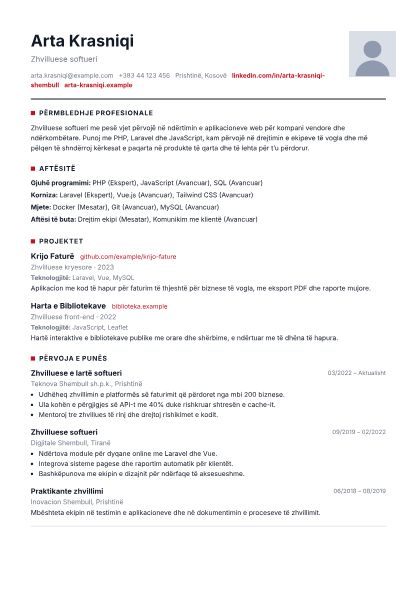 Technology
Prominent projects and portfolio links, grouped technical skills and clear experience.
Technology
Prominent projects and portfolio links, grouped technical skills and clear experience.
-
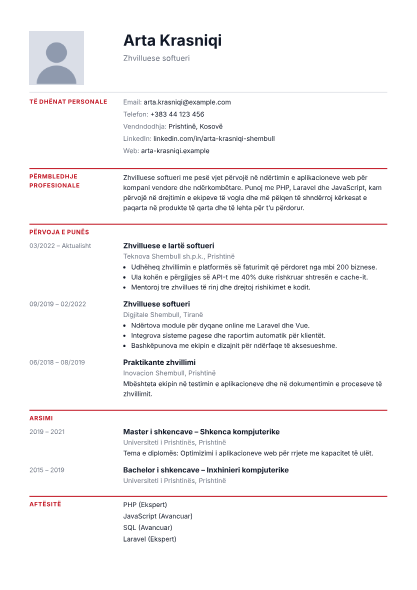 European
Dates and section labels in a narrow left column, descriptions in a wider right column.
European
Dates and section labels in a narrow left column, descriptions in a wider right column.
-
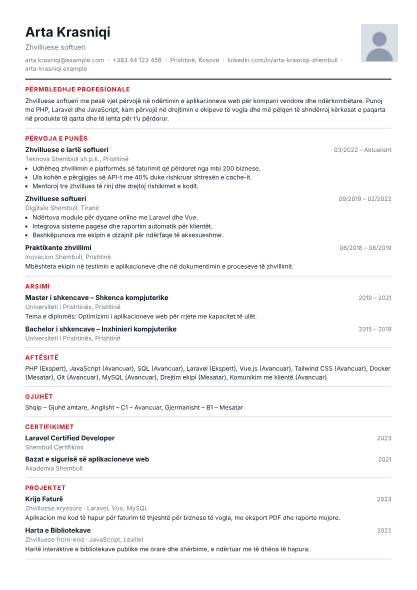 Compact
Efficient spacing for shorter CVs; continues onto extra pages when the content is long.
Compact
Efficient spacing for shorter CVs; continues onto extra pages when the content is long.
-
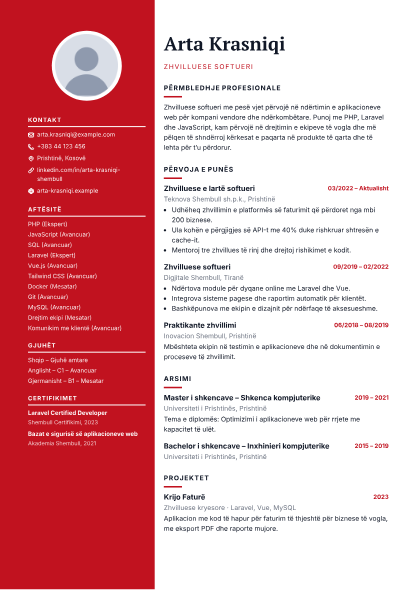 Elegant
Coloured left panel with a round photo, contacts with icons and skills; serif name and headings with accent bars.
Elegant
Coloured left panel with a round photo, contacts with icons and skills; serif name and headings with accent bars.
-
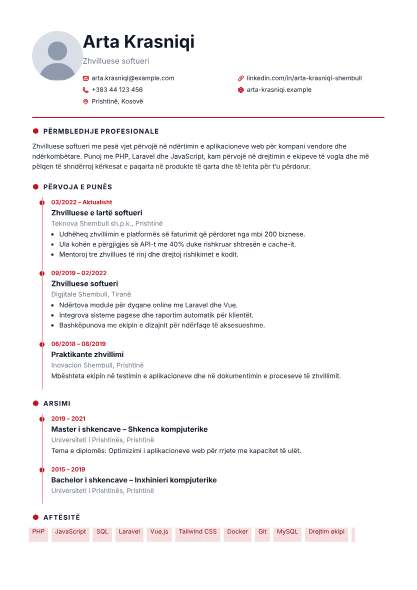 Timeline
Experience and education on a vertical timeline with dots, contacts with icons and skills as tags.
Timeline
Experience and education on a vertical timeline with dots, contacts with icons and skills as tags.
-
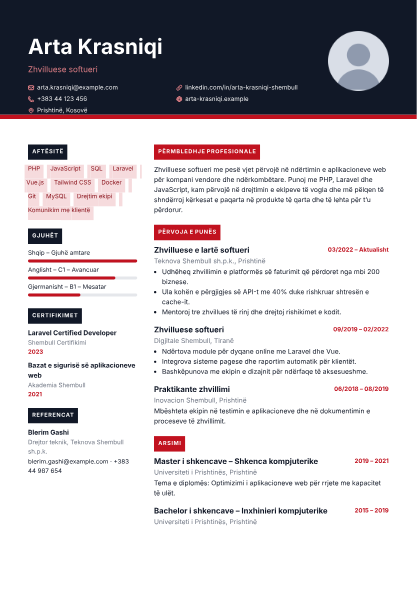 Bold
Full-width dark header with an accent stripe, coloured label headings and level bars for languages.
Bold
Full-width dark header with an accent stripe, coloured label headings and level bars for languages.
-
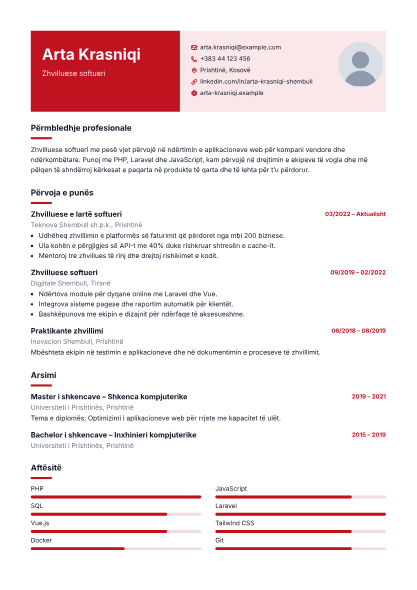 Duotone
Header split into two colour blocks, short accent bars under headings and level bars for skills.
Duotone
Header split into two colour blocks, short accent bars under headings and level bars for skills.
-
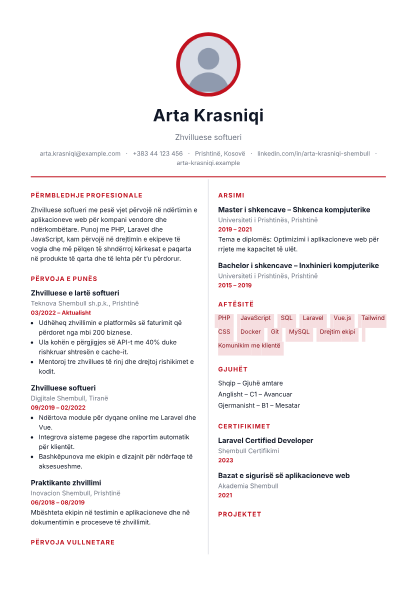 Monogram
Centred medallion (photo or initials), centred name and content in two equal columns.
Monogram
Centred medallion (photo or initials), centred name and content in two equal columns.
Why Krijo CV
Everything you need, nothing you don’t
-
Complete sections
Experience, education, skills, languages, certifications, projects, volunteering, publications, references and custom sections.
-
Cover letter included
Write your cover letter in the same project; it picks up the name, contacts and colour of your CV and downloads as a separate PDF.
-
Your photo, your control
Crop it, zoom it, replace it or hide it from the CV without removing it from the project.
-
Five languages
Interface and document in Albanian, English, Italian, German or Spanish: section headings are translated automatically.
Privacy
Your CV and photo are processed only in your browser. There are no accounts, nothing is stored on the server and there are no third-party analytics.
If you wish, you can keep the project on this device or download it as a .cv.json file to continue elsewhere. Projects are not synchronised online.
Help
Frequently asked questions
Short answers to the things people ask most.
Is Krijo CV free?
Yes, completely free. No sign-up, subscription or payment is required and the downloaded CV has no ads or watermarks.
Where is my data stored?
Your CV data and photo stay in your browser and are not sent to the server. If you turn on “Save automatically on this device”, the project is stored only in this browser’s local storage.
How can I continue on another device?
Download the project with the “Save project” button (a .cv.json file) and import it on the other device with “Import project”. Projects are not synchronised online, so keep the file.
What format is the downloaded CV?
A4 PDF with selectable, searchable text, clickable links for email, phone and portfolio, and fonts that support letters such as ë and ç.
Can I change the template after filling in my data?
Yes. Changing the template deletes nothing: all your data, the photo and the accent colour are kept and shown in the new template.
Do I have to give my date of birth or full address?
No. Krijo CV does not ask for a date of birth, gender, personal ID number or full address. City and country are enough for a modern CV.
Can I also write a cover letter?
Yes. The “Letter” step lets you write a cover letter in the same project. It picks up the name, contacts, colour and font of your CV and downloads as a separate PDF.
Which languages can I create my CV in?
The interface and the document are available in Albanian, English, Italian, German and Spanish. The CV language is chosen in the first step and translates the section headings and labels in the PDF; the text you write stays as you typed it.
Ready for your next application?
Create your CV in a few minutes. Free, no sign-up.